
The Quick, Easy, and Secure Way to Add SMS Credits
Introduction
Are you ready to start sending SMS campaigns? Great!
But first, you need to fund your SmarthiveSMS wallet.
This guide walks you through the exact steps to load your account with credits in minutes.
Step 1: Log In to Your SmarthiveSMS Dashboard
Go to www.smarthivesms.com
Enter your email and password
Click on the Log In button
Yes? You’re in? Great!
Let’s go!
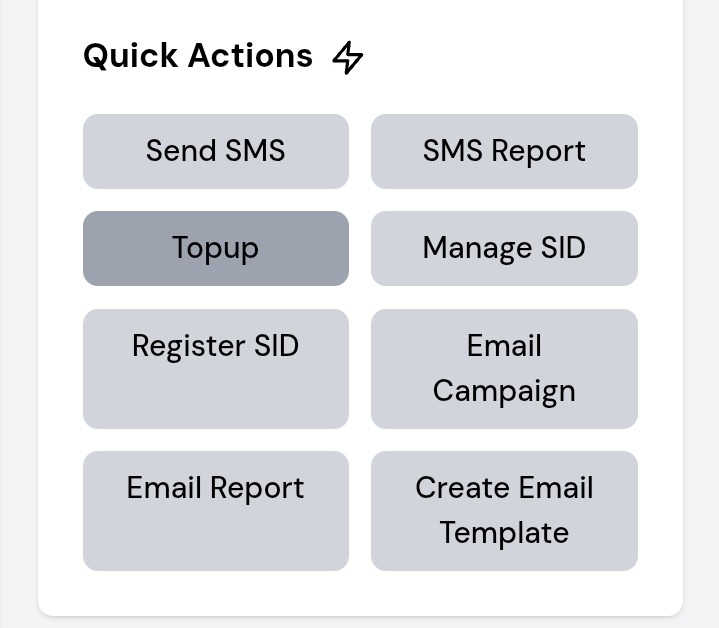
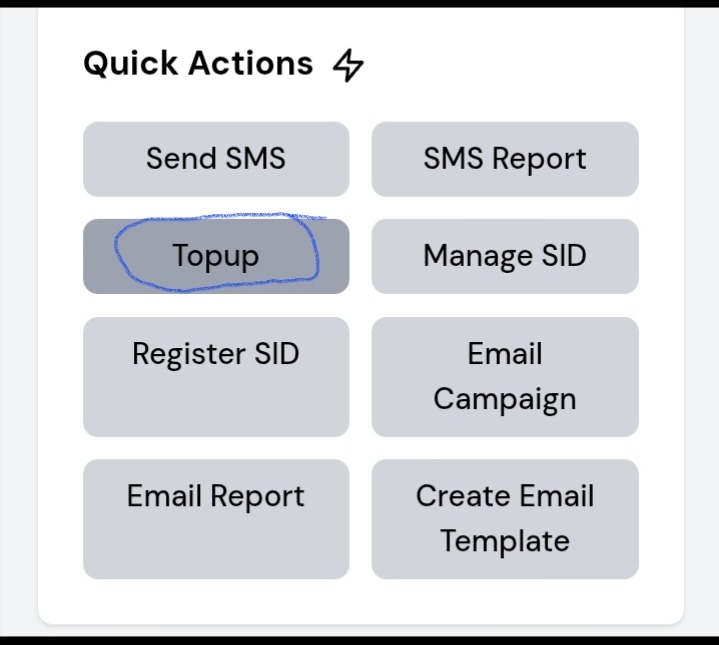
Step 2: Click on “Topup” in the Quick Actions section
On your dashboard, scroll down to the Quick Actions section
Click on Topup
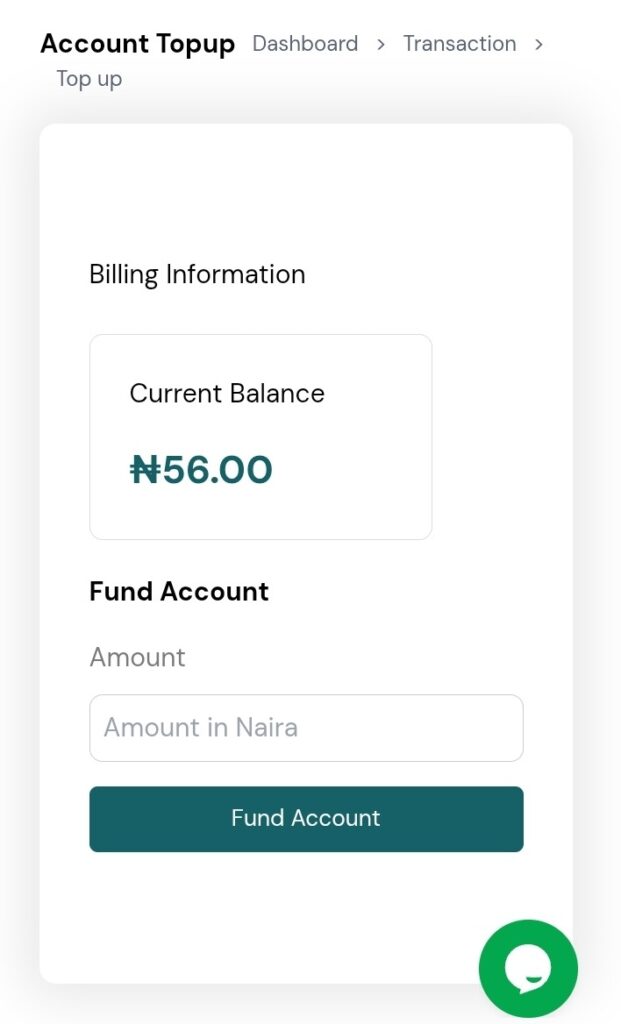
You’ll see your current balance and a button to fund your account
Yes? Found it? Moving on!
Step 3: Click “Fund Account”
Enter the desired amount
Click the Fund Account button
This will take you to a secure payment screen
Yes? Got it? Let’s move.
Step 4: Choose Your Payment Method
Pick the payment option that works best for you:
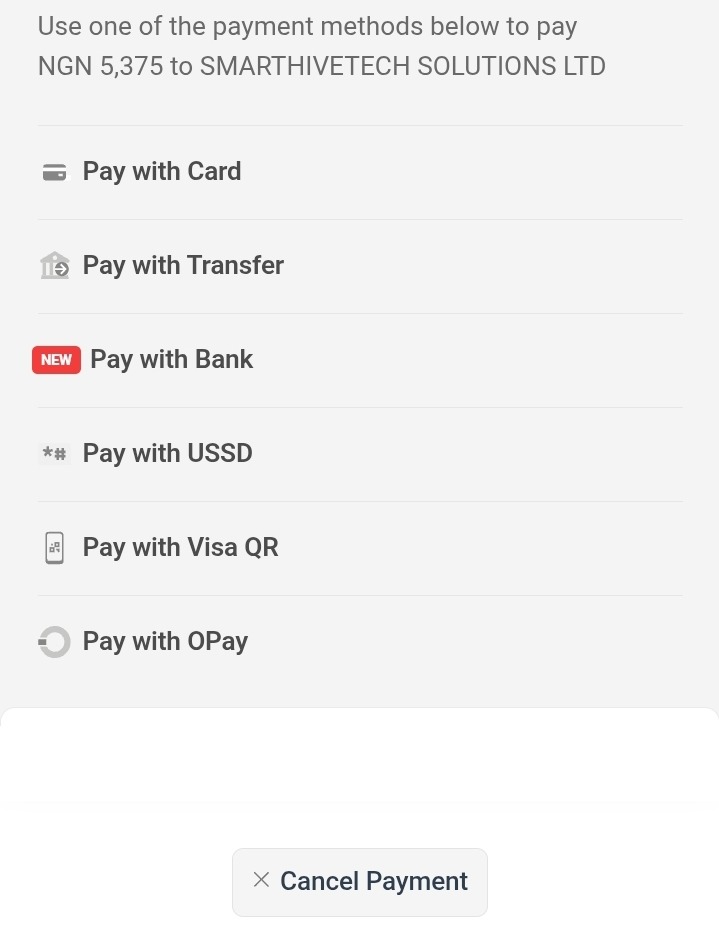
Yes? Selected your method? Almost done!
Step 5: Make Payment
Choose your payment method
Tap the Authenticate button
Follow the instructions to complete your payment
You should receive an instant confirmation after payment
Yes? Paid successfully? Let’s confirm it.
Step 6: Confirm Your Updated Credit Balance
Return to your Dashboard
Your balance should now reflect the payment
If not, refresh the page or contact support
Yes? Balance updated? You’re DONE.
Need Help?
If anything goes wrong:
Chat with us using the Live Chat feature on your dashboard
Or send an email to support@smarthivesms.com
You’re All Set!
You’ve successfully funded your SmarthiveSMS wallet.
Now you can:
Launch your SMS campaigns
Save sender IDs
Track reports and results
Bonus Tip:
Top up before you run out.
Bookmark your Wallet page or set a calendar reminder before each campaign.